Schedule Meetings: Turn every booked meeting into customer context.
Share one booking page for demos, onboarding calls or team meetings. Done CRM shows real availability, collects the context your team needs, and brings every booking into the right contact and follow-up.
A booking page that brings the lead into your CRM.
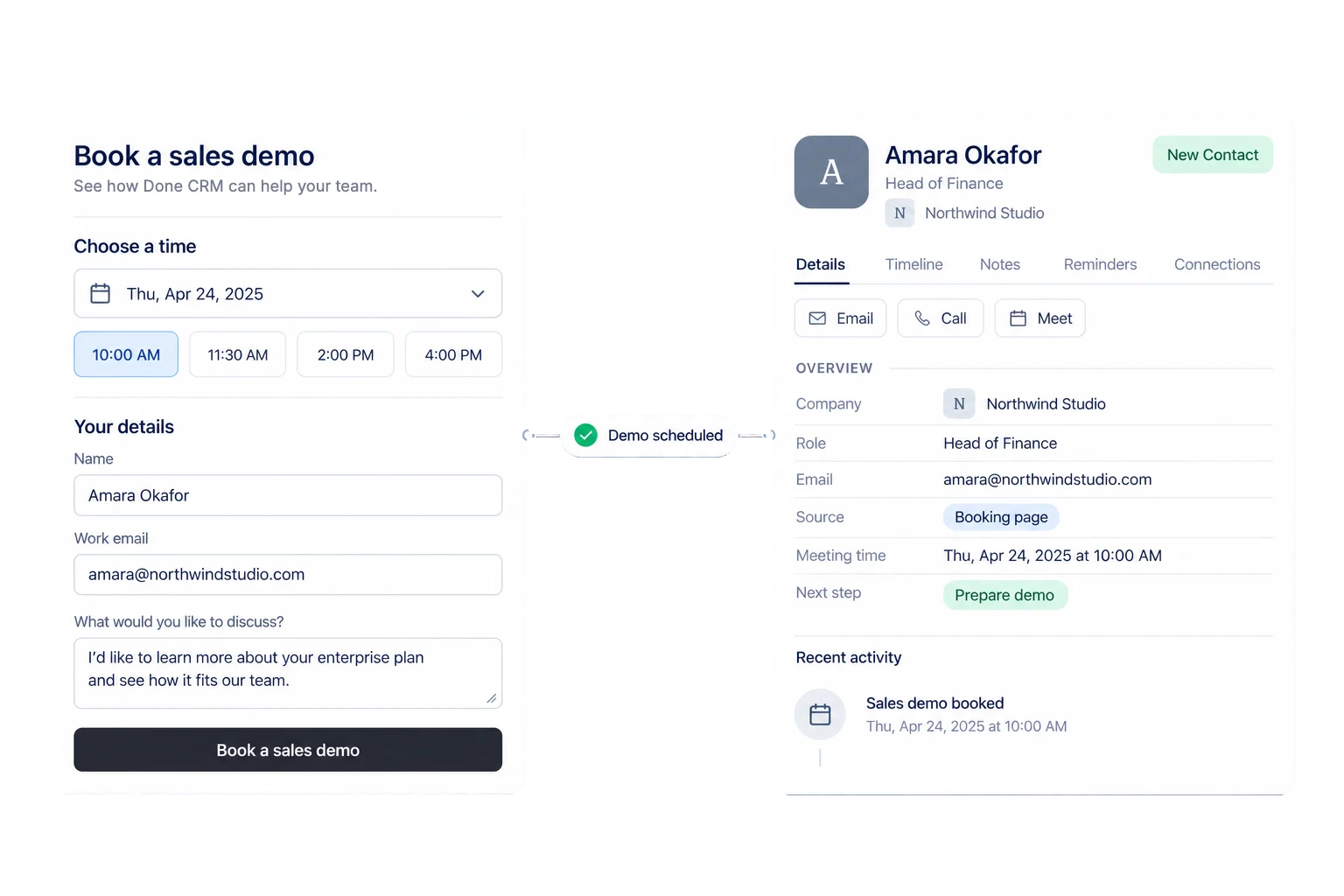
- Show real availability.Offer times that work with host hours and calendars.
- Ask before the call.Collect company, goals and timeline while the lead is warm.
- Keep the lead in view.Put the booking, contact and next step together.
Make scheduling part of the sales process.
Give people an easy next step after outreach. They choose a time, your team gets the context, and the booking lands in the same CRM where the conversation will continue.
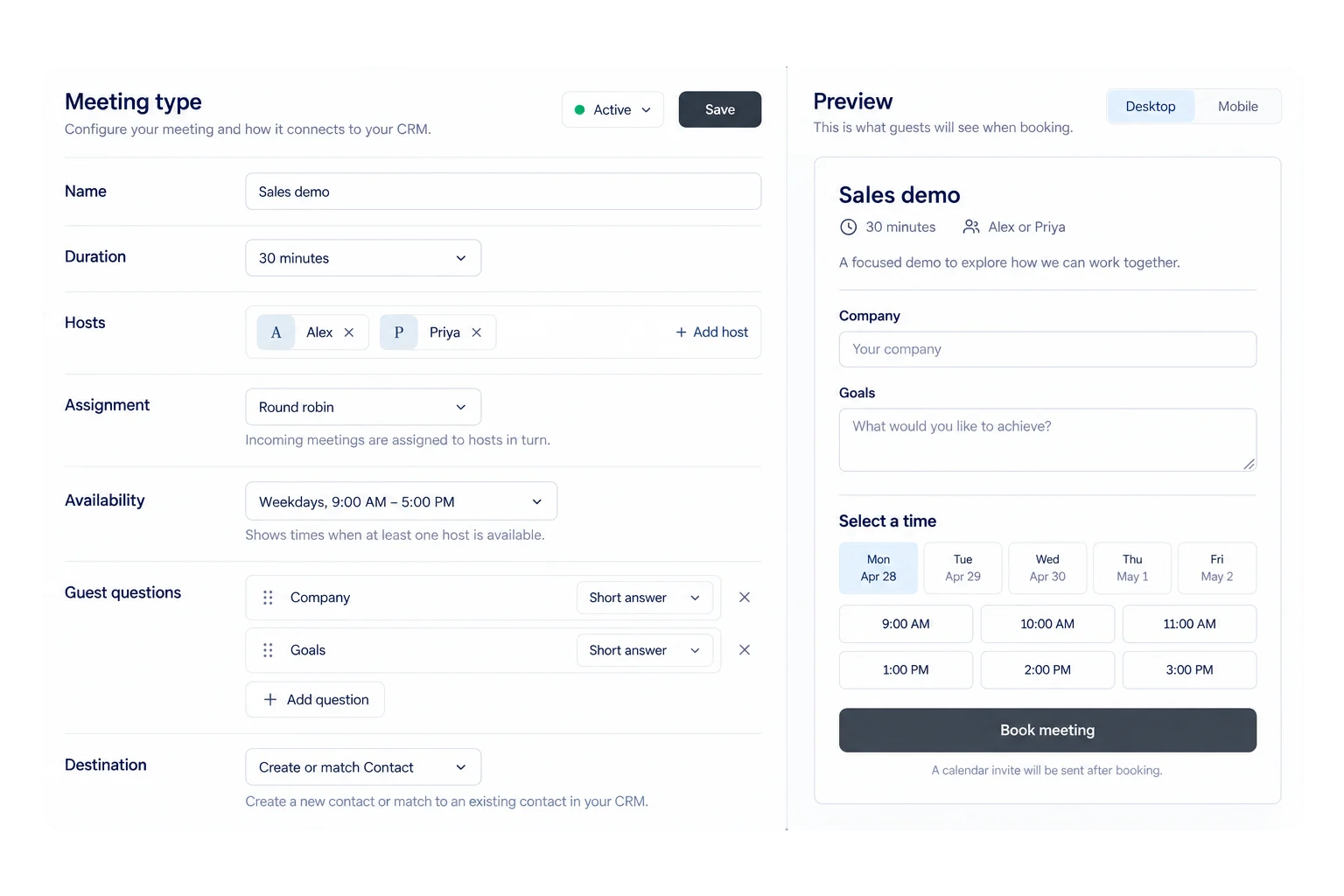 Meeting types
Set up each kind of meeting once.
Create a sales demo, onboarding call or team meeting with the right hosts, length, assignment rule and guest questions.
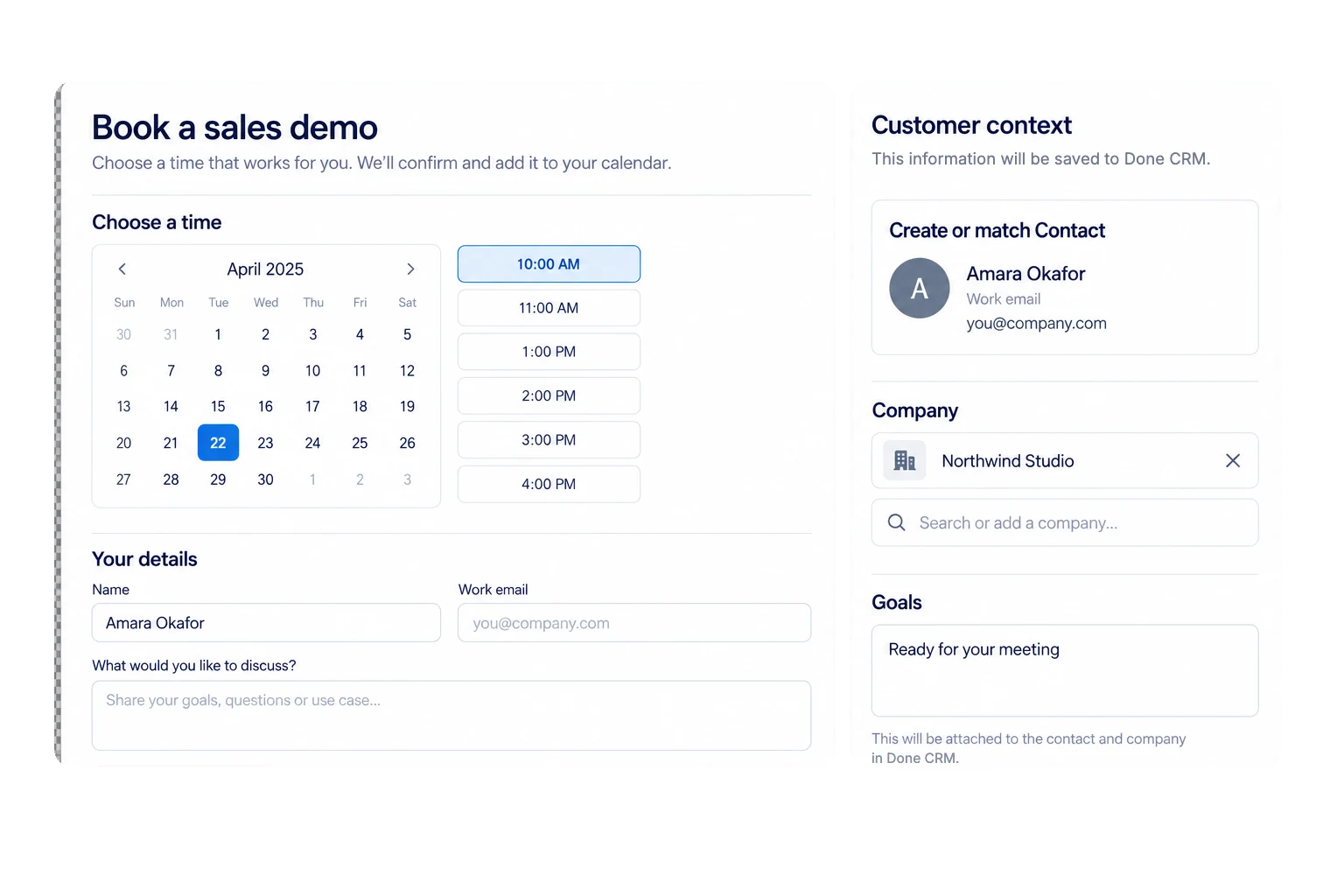 Booking page
Stop the back-and-forth before it starts.
Share one link or embed the page. Guests see only times that work with host availability and connected calendars.
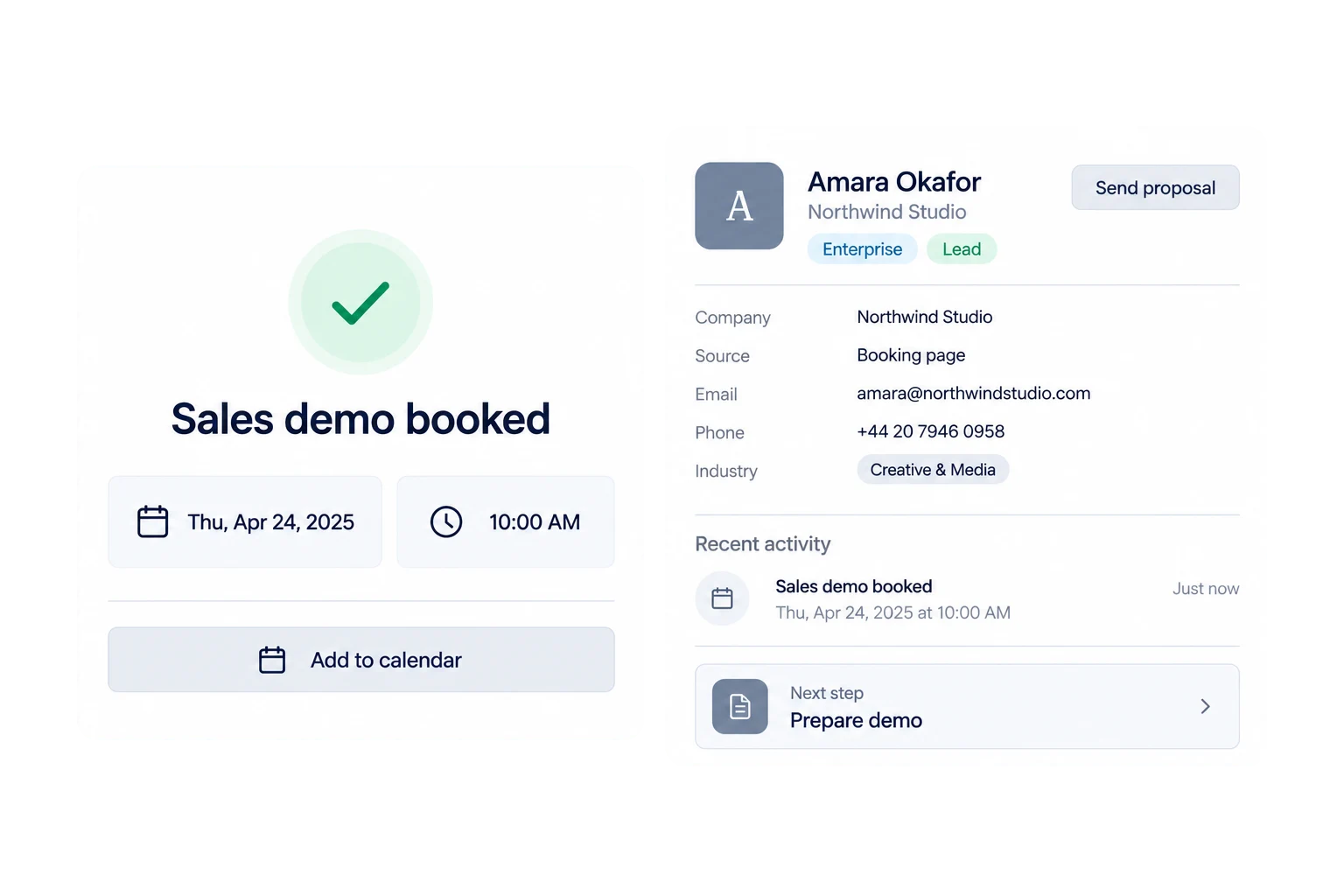 After booking
Bring the lead straight into your CRM.
Done CRM matches or creates the contact, adds the calendar event and keeps the booking ready for follow-up.
Make it fit your business. A scheduler can end at the calendar invite. Done CRM carries the lead into the CRM, so the booking, customer context and next action stay together before and after the call.
From booking link to follow-up in four steps.
Set the rules once, then give customers a simple next step and your team a complete starting point.
- 01Create a sales demo or meeting type
- 02Choose hosts and set their availability
- 03Share or embed the booking page
- 04Open the contact and prepare the next step
Keep the conversation moving before and after the meeting.
A few things people ask before they start.
See your sales day in Done CRM.
See a booking flow that ends in the CRM, not a separate list — start a free trial, or book a meeting and we will walk you through it.
30-day free trial. No card needed.
Done CRM
Talk to us
Tell us a little about your company and we will take it from there.
Message received
A Done CRM advisor will get back to you shortly.